
Is the PUBG Mobile 4.3 update APK download link now live? Check new features, gameplay and step-by-step installation guides
Sneha Kumari | Mar 12, 2026, 12:48 IST
The PUBG Mobile 4.3 update can be safely downloaded through the Google Play Store. Search for the game, select the official version by Level Infinite, and tap Update if it is available in your region. The 1.2 GB update installs quickly, after which the game may download additional resource packs before launching.

Image credit : X | @PUBGMOBILE | What Exciting Features Does PUBG Mobile 4.3 Bring?
PUBG players get ready for the most awaited update of the year. Yes, BGMI has officially launched the PUBG Mobile 4.3 update for Android users worldwide. Well, this isn't just any regular patch; it marks the game's 8th anniversary, bringing a massive wave of futuristic content under the 'Evolving Universe' theme. This update brings fresh reasons to dive into Erangel, featuring new specialisation skills, the return of a fan-favourite anime collaboration and a host of thrilling in-game additions. Let's find out the step-by-step guide to download the PUBG Mobile 4.3 update APK download, which is now live. ![X | @pinoygamerph | Which New Skills, Weapons, and Events Are in PUBG Mobile 4.3?]()
According to Inside Sport, the 4.3 update in PUBG Mobile brings the exciting Evolving Universe mode, putting player progression at the heart of every match. Choose a speciality, medic, recon or combat, and upgrade your skills from C-rank to S-rank as the game unfolds.
Other major additions include:Updating the game through the Google Play Store is the safest way to make sure your files are authentic, secure, and fully optimised. So follow these steps below to install the latest PUBG Mobile 4.3 update on your Android device:
PUBG Mobile 4.3 Update APK download -Click here
Here's the step-by-step guide to download the APK version:![X | @pinoygamerph | How Is PUBG Mobile 4.3 Changing the Game?]()
A quick look at a pro tip:
When downloading, if you only see a 'Play' button instead of 'Update', do not worry.
The 4.3 update rolls out in phases; hence, you can try cleaning the cache of your Google Play Store app in your phone settings or simply wait a few hours. So, by the end of the day, the update should be available for players.

Image credit : X | @pinoygamerph | Which New Skills, Weapons, and Events Are in PUBG Mobile 4.3?
What exciting features does PUBG Mobile 4.3 bring?
Other major additions include:
- Temporal Vaults: Explore high-tier loot rooms equipped with Sandbox tools to foresee upcoming zones.
- The M1 Grand: A legendary semi-automatic rifle is now ready for action.
- Jujutsu Kaisen returns: The beloved anime collaboration comes back with fresh rewards and challenges.
- Anniversary landmarks: Famous map locations have been revamped with a futuristic 8th-anniversary theme.
V4.3 brings a massive refresh to classic content! The UI has been completely revamped, the Erangel map has been upgraded, and brand-new vehicles and weapons have arrived. Check out the update guide now to get ahead and master the new version!#PUBGM8ANNI #PUBGMCLASSICUPDATE… pic.twitter.com/ZzANkv1d91
— PUBG MOBILE (@PUBGMOBILE) March 10, 2026
Step-by-step guide to download the PUBG Mobile 4.3 update
PUBG Mobile 4.3 Update APK download -Click here
Here's the step-by-step guide to download the APK version:
- Step 1: Open the Play Store: Launch the Google Play Store app on your Android phone.
- Step 2: Search for the game now: Enter PUBG Mobile in the search bar.
- Step 3: Choose the official listing: Tap the game published by Level Infinite.
- Step 4: Tap 'Update': If the 4.3 version has rolled out in your region, a green 'Update' button will appear. Then tap it to start downloading.
- Step 5: Download the update: The update file is around 1.2 GB, so using a stable Wi-Fi connection is recommended.
- Step 6: Open the game: After installation, launch the game. It may download a few additional resource packs before taking you to the main lobby.
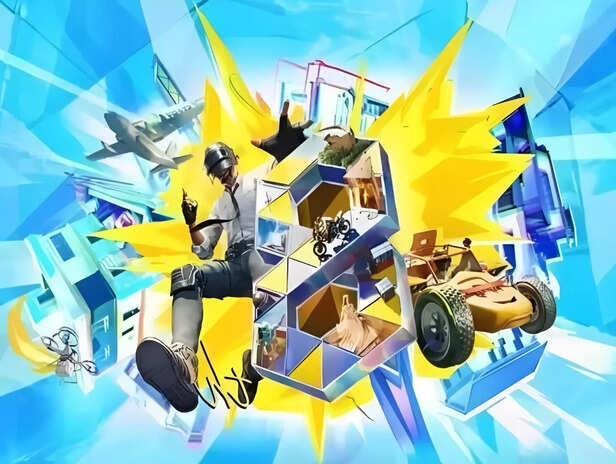
Image credit : X | @pinoygamerph | How Is PUBG Mobile 4.3 Changing the Game?
A quick look at a pro tip:
When downloading, if you only see a 'Play' button instead of 'Update', do not worry.
The 4.3 update rolls out in phases; hence, you can try cleaning the cache of your Google Play Store app in your phone settings or simply wait a few hours. So, by the end of the day, the update should be available for players.
Which actor can win their first Oscar in 2026?
By Nillohit Bagchi

Teacher warns parents over BTS ARIRANG class bunk plans
By Karen Noronha

Legendary directors still waiting for an Oscar
By Karen Noronha

Trump warns US will hit Iran ‘Very Hard’ next week
By Nancy Jaiswal

Southern Hospitality star Grace Lilly arrested on drug possession charge
By Karen Noronha

Are ‘butter runs’ the next viral fitness craze?
By Saloni Jha

Why Gen Z loves the ‘Girl Dinner’ trend
By Nancy Jaiswal
